
Mastering the Art of Reposting Stories on Social Media
Sharing content is an essential part of social media interaction. If you’re wondering how to repost a story on instagram, you’re not alone. Many users aim to spread the love by sharing interesting stories from friends and influencers. In this article, we’ll explore the various platforms, steps for reposting stories, and best practices.
Understanding the Importance of Reposting
Reposting stories helps amplify messages, encourage engagement, and foster connections between users. Whether it’s sharing a friend’s birthday clip, a useful tutorial from a brand, or a motivational quote, all these contribute to a more vibrant social media presence. Each time you repost, you’re sharing a part of someone else’s experience, emphasizing collaboration, and keeping your feed dynamic.
How to Repost a Story on Instagram
Reposting a story on Instagram directly is a straightforward process, especially if you’re tagged in the story. Here’s a step-by-step guide:
- Receive a Notification: If someone tags you in their story, you’ll receive a direct notification in your DM.
- Open the Story: Click on the notification to view the story.
- Tap ‘Add This to Your Story’: On the bottom of the screen, you’ll see an option to add the story to your own. Click this option.
- Edit the Story: Before posting, you can edit the story by adding text, stickers, or other effects.
- Share: Finally, click ‘Your Story’ to share it with your followers.
If you aren’t tagged in a story you wish to repost, here’s how to do it using other methods:

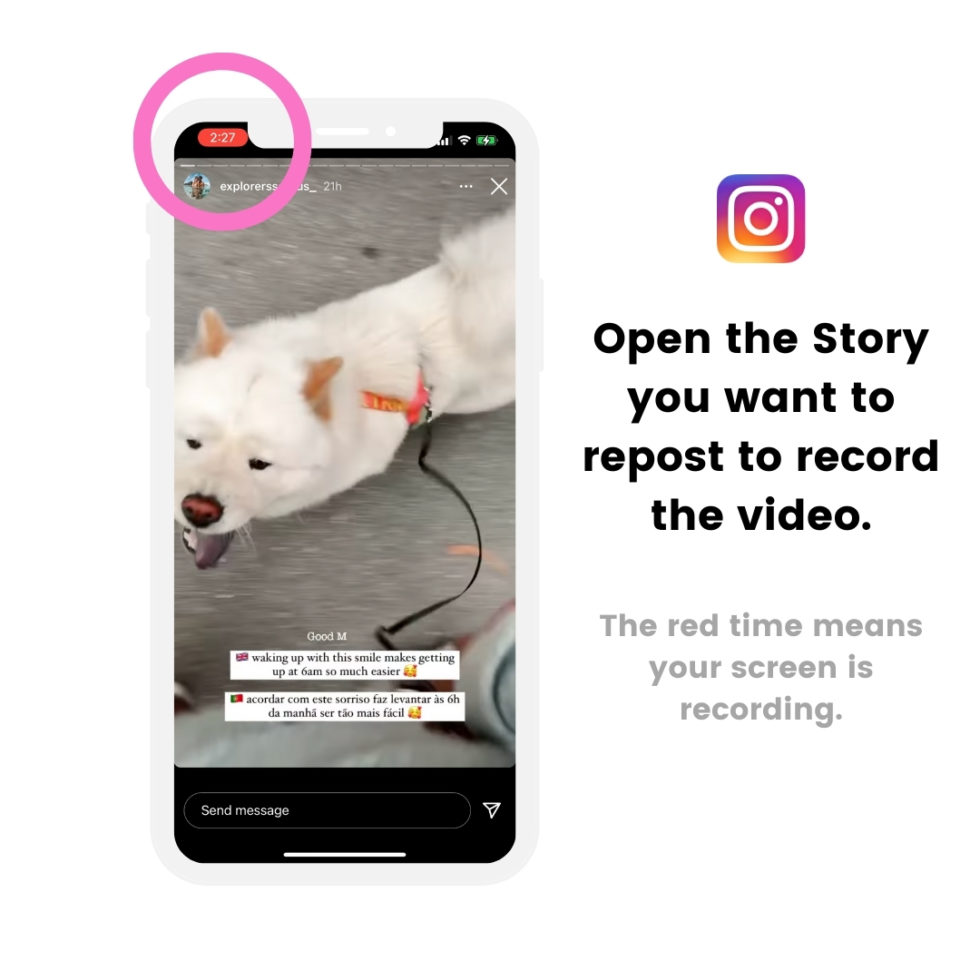
- Screenshot: Take a screenshot of the story. Edit it if necessary.
- Use Reposting Apps: Apps such as RepostMe can simplify this process by allowing you to repost without the hassle of screenshots and edits.
- Credit the Original Creator: It’s crucial to mention the original creator in your caption when reposting content to honor their work.
Reposting Stories on Snapchat
Unlike Instagram, Snapchat does not have a direct repost feature for stories; however, you can still share content effectively:

- Snapchat Stories: If a friend has a public story and you want to share it, take a screenshot or screen recording.
- Create Your Own Snap: Open your Snapchat camera, and press the button to record a Snap while watching the story.
- Edit and Share: Add any desired stickers, text, or drawings before sending it to your friends or posting it on your story.
Reposting on Facebook Stories
Reposting on Facebook Story is relatively easier, especially if you follow these steps:
- Open the Story: Click on the story you want to repost.
- Tap ‘Share’: If you see the share option, click it to automatically repost the story.
- Manual Video Sharing: If the story doesn’t have a share option, take a screen recording. Edit and share as a new Facebook story.
Best Practices for Reposting Stories
To maximize your engagement while reposting stories, here are a few tips:
- Get Permission: Always ask for permission from the original poster before sharing their content to avoid any misunderstandings.
- Give Credit: Tag or mention the original creator in your repost to appreciate their work.
- Provide Context: Add your own caption to provide context about why you’re sharing that particular story.
- Maintain Quality: Repost high-quality content that aligns with your brand or personal aesthetic.
- Engage with the Audience: Ask questions or encourage discussions in your repost captions for increased interaction.
Conclusion
Sharing is an integral part of social media, allowing users to connect, share experiences, and build communities. Understanding how to repost stories across various platforms can enhance your content strategy, encourage collaboration, and elevate your social media game. Whether you’re tagging and reposting stories on Instagram, sharing snaps, or using Facebook, adopting the right practices will ensure that your reposts contribute positively to your online presence. Embrace the art of reposting, and let your followers see the world through your shared lens!